





Description
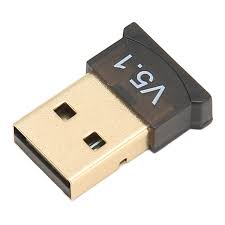
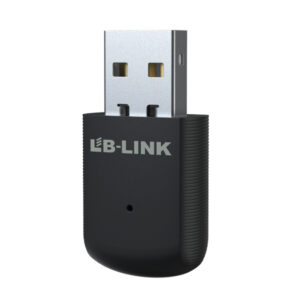
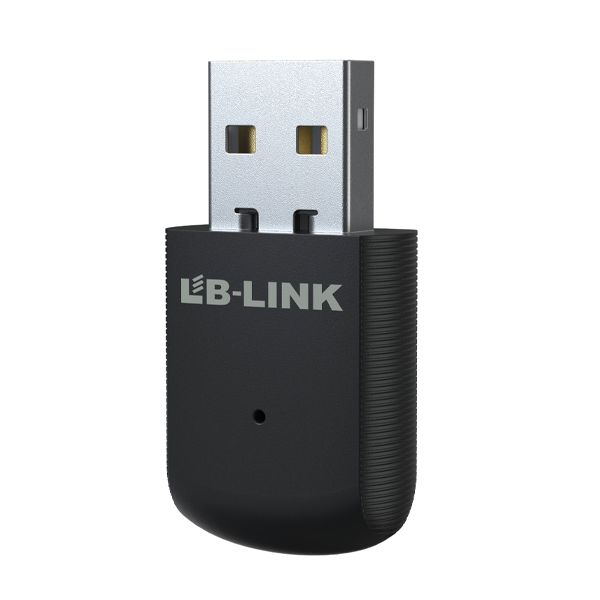
A BT + Wi‑Fi Wireless‑N USB Adapter is a compact external USB dongle that provides wireless internet (Wi‑Fi) and Bluetooth connectivity from a single stick‑type device. It’s especially useful for desktops or older laptops that either lack built‑in Wi‑Fi/Bluetooth or have weak wireless performance. These adapters plug into a standard USB port and let your device:
✅ Connect to Wi‑Fi networks for internet access
✅ Pair with Bluetooth devices like headphones, keyboards, mice, speakers, and phones
✅ Often support basic networking features like sharing internet Soft AP mode (depending on model)
⭐ Typical Key Features
🔹 Dual‑Function Connectivity
- Wi‑Fi support (802.11b/g/n): Adds wireless internet access up to ~150 Mbps on the 2.4 GHz band.
- Bluetooth support: Enables connection to Bluetooth devices (usually Bluetooth 4.x standard on many models).
- This means one USB adapter does both jobs without needing separate dongles.
📶 Wireless‑N (802.11n) Wi‑Fi
- Compatible with older Wi‑Fi networks and routers using 802.11b/g/n standards.
- Good for web browsing, video calls, streaming, and basic network tasks.
- Typical maximum Wi‑Fi link speeds up to 150 Mbps on 2.4 GHz.
🔷 Bluetooth Functionality
- Bluetooth (e.g., Bluetooth 4.0 / 4.2) lets you pair:
- Headphones & earbuds
- Keyboards & mice
- Speakers
- Phones & tablets
- Often backward compatible with older Bluetooth versions for broad device support.
💻 Plug‑and‑Play / Easy Setup
- Many adapters are plug‑and‑play on Windows 10/11 — just insert and use.
- Older OS versions (Windows 8/7) or macOS may require drivers.
- Some models support Soft AP mode (create a Wi‑Fi hotspot from your PC).
📌 Security & Standards
- Wi‑Fi supports basic encryption standards like WEP, WPA, WPA2 for secure connections.
- Bluetooth supports Smart & Low Energy modes for more efficient wireless use.
🧠 Compact & Portable Design
- Usually nano or stick‑type USB form factor — easy to carry and doesn’t block neighboring ports.
- Very small and unobtrusive once plugged in.